
For: Admin, Owner
Last reviewed: 2026-07-07
Requires
QuickBooks must be connected. Only Organization Owners and Admins can link customer accounts.
In EquipQR, an external customer you service is represented as a team of type Customer. Linking that team's customer account to a QuickBooks customer tells invoice export where to post.
1. Open the team
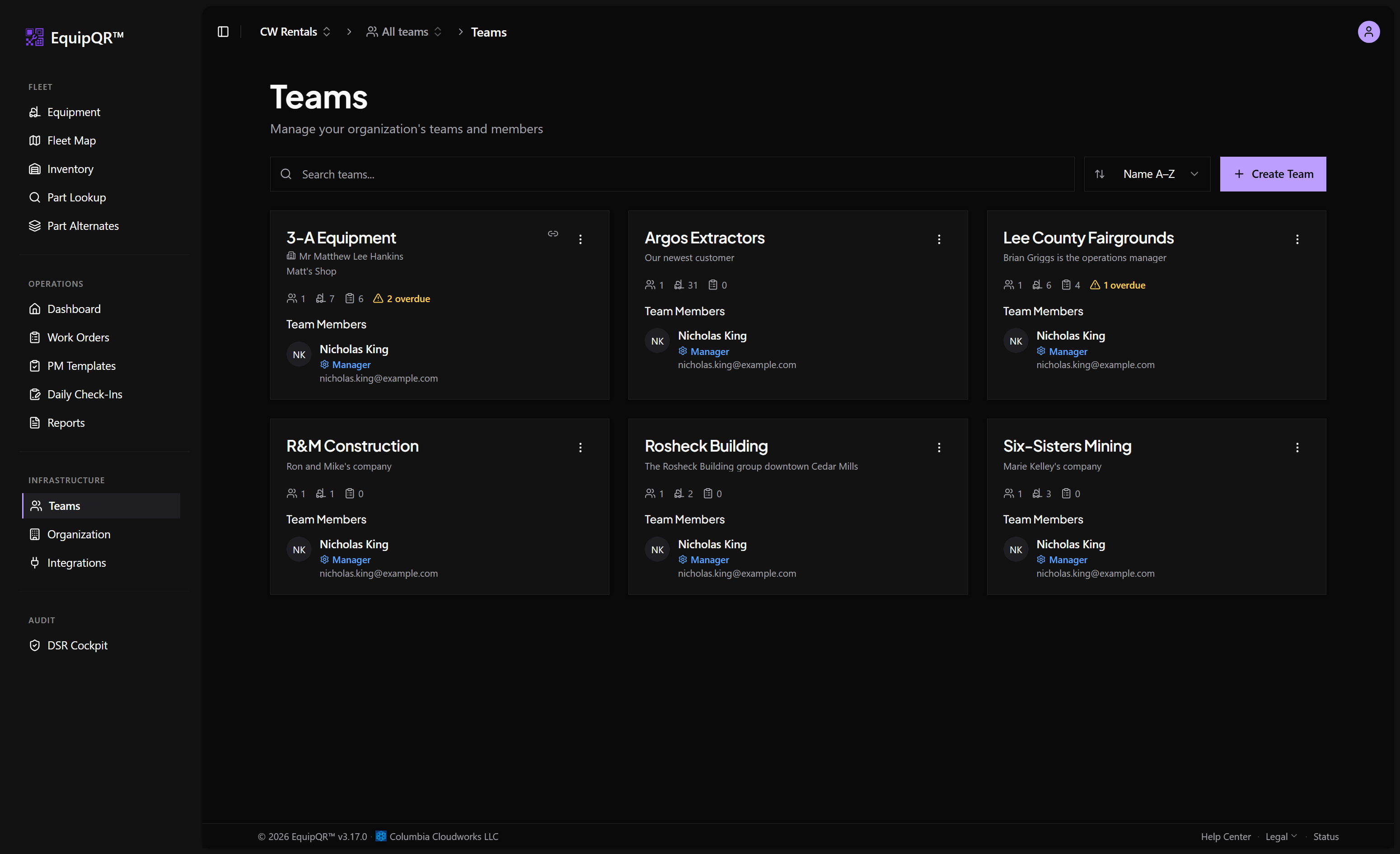
Go to Teams and open the team for your customer. Teams that are already linked show a green QuickBooks synced badge on the Teams list.
2. Find the Customer account card
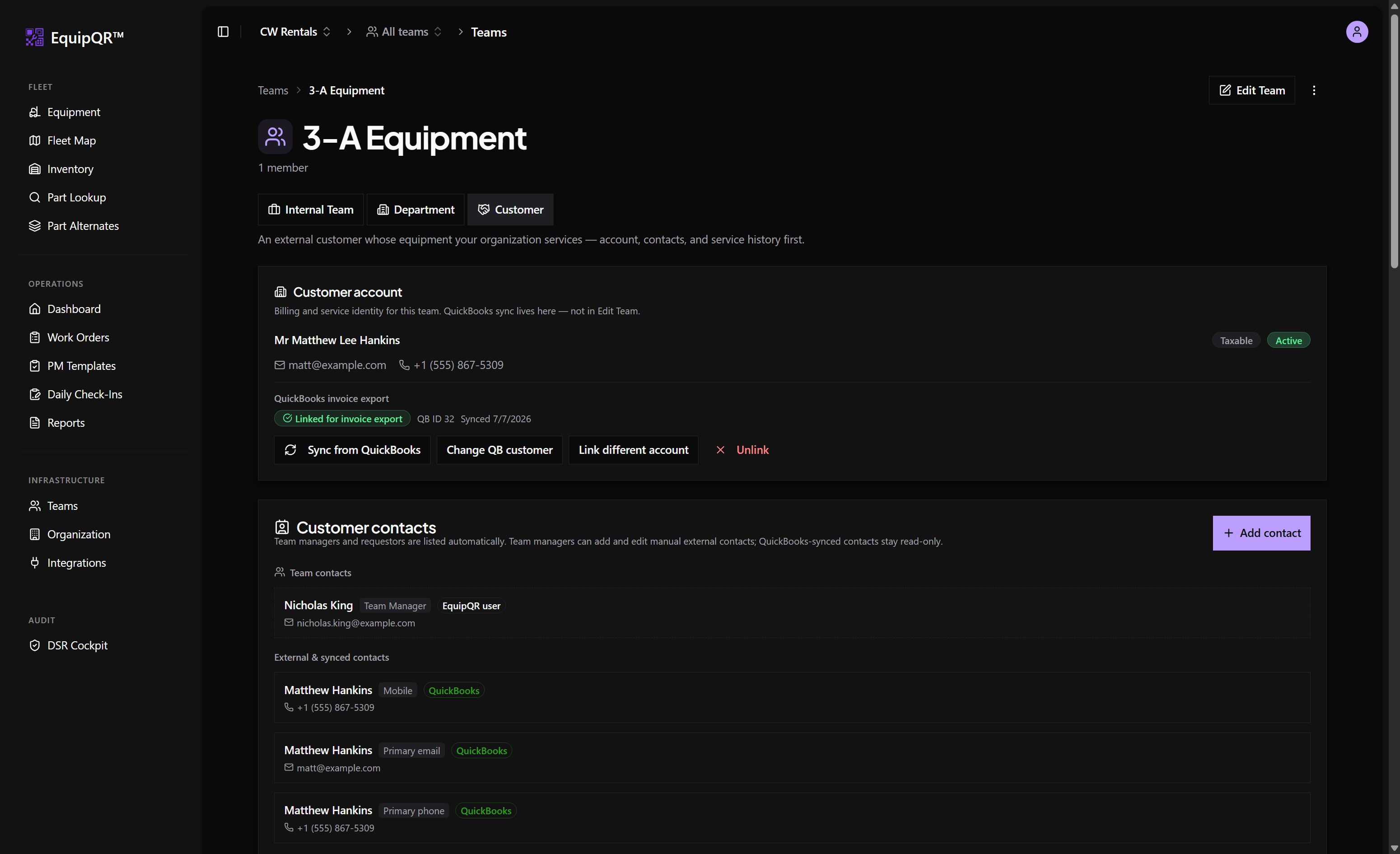
On a Customer-type team, the Customer account card sits at the top of the team page. It is the billing and service identity for the team — QuickBooks sync lives here, not in Edit Team.
3. Link the QuickBooks customer
Use the buttons under QuickBooks invoice export:
- Link different account / Change QB customer — opens a searchable picker pulling live customers from QuickBooks. Pick the customer this team bills to.
- Sync from QuickBooks — refreshes the cached name, contact details, and tax status from QuickBooks.
- Unlink — removes the mapping (exports from this team will be blocked until re-linked).
When linked, the card shows a green Linked for invoice export badge with the QuickBooks customer ID and last sync date.
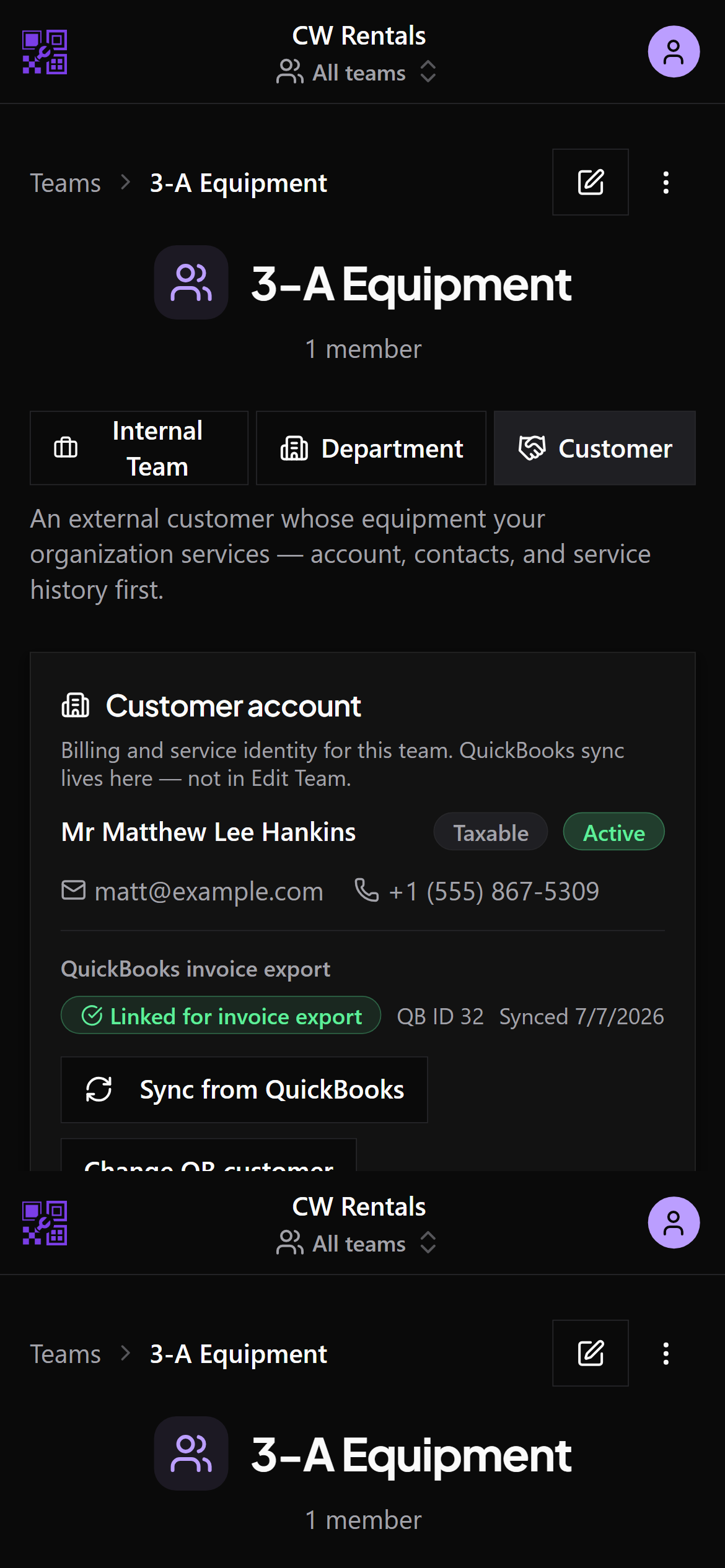
On mobile the same card appears at the top of the team page:
4. Contacts sync automatically
QuickBooks-synced contacts (mobile, primary email, primary phone) appear read-only in the Customer contacts section below the account card. Team managers can still add manual external contacts alongside them.
Note
Map every active customer team before you start exporting so you do not get blocked at invoicing time. The customer's tax-exempt status also syncs from QuickBooks and is applied to exported invoices.