
For: Manager, Admin, Owner
Last reviewed: 2026-07-04
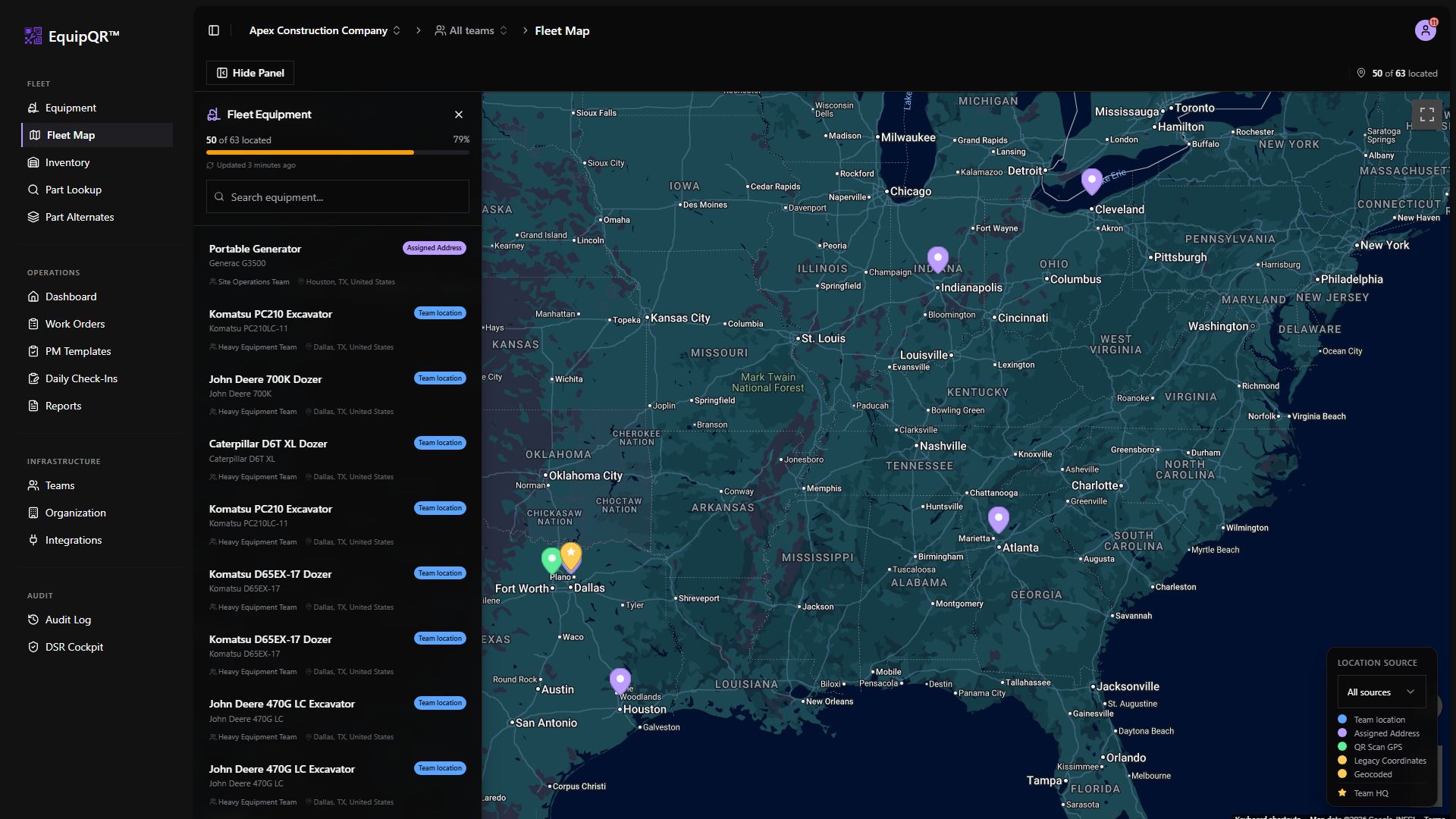
The fleet map shows every piece of equipment with a location. It is most useful for dispatch and for seeing which pieces are at a specific job site.
1. Open the fleet map
From the sidebar, pick Fleet Map. The map loads with every geocoded equipment pin.
2. Filter by location source
Use the Location Source legend and dropdown to filter markers by Effective location, team HQ, equipment address, or last scan GPS. This matches the source dropdown on equipment detail pages.
See Equipment location sources and maps for how EquipQR picks the effective pin.
3. Zoom to see clusters
Nearby machines cluster into grouped pins. Click a cluster to zoom in; individual pins expand with equipment name and status.
4. Click a pin to open the record
A pin popup shows the equipment name, status, and a shortcut to the detail page. Use this to start a work order or check maintenance history.
5. Update missing locations from equipment records
If a piece of equipment is missing from the map, open its record and set an assigned address or live GPS capture from the Location map card.